Generates ad creative across common Google Display Network banner sizes.
Avocad for Google Display
Google Display ad creative that works at every banner size
Generate banner variants across common GDN sizes from one campaign brief, product context, and brand identity.
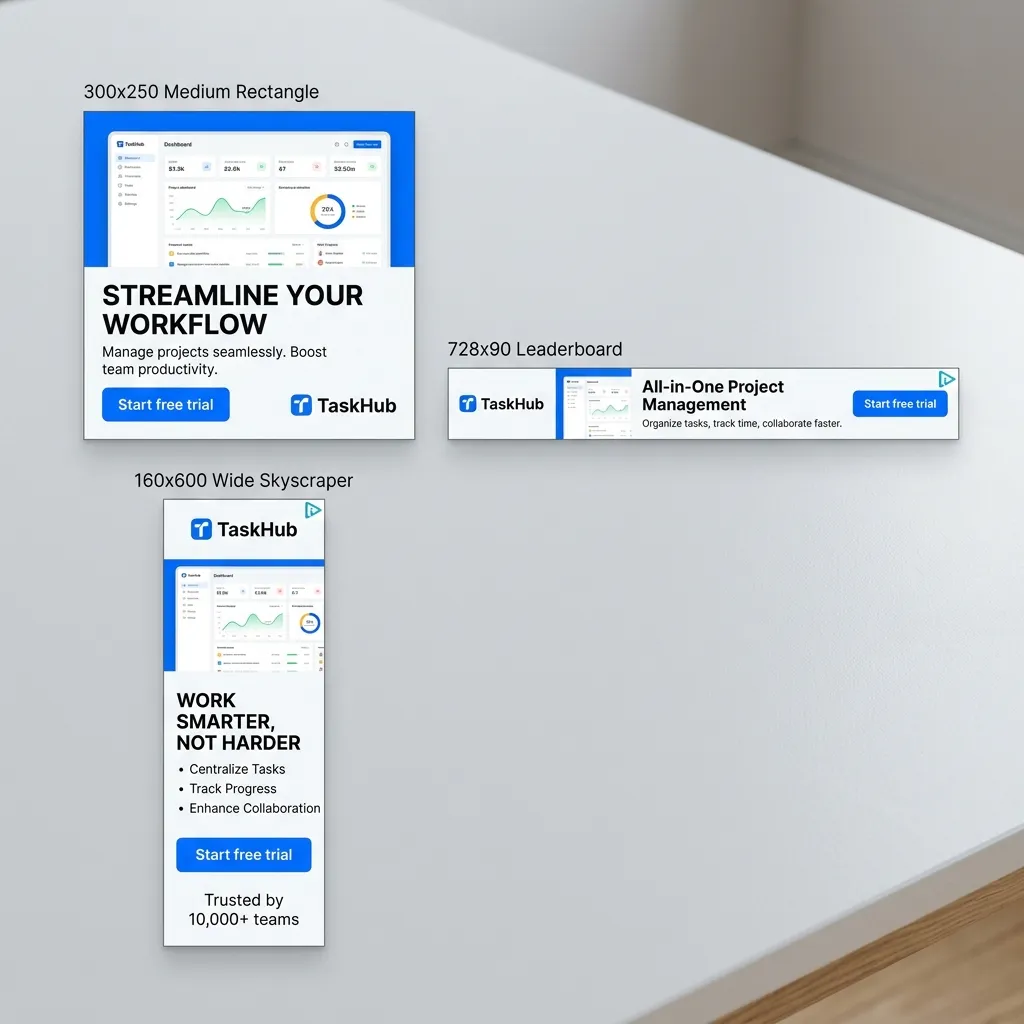
Works with product context, brand assets, and campaign goals to create display-ready variants.
Final banner creative should be reviewed for Google Ads policies before upload.
Google Display Network reaches billions of users across websites, apps, and Gmail. Avocad generates banner creative across common GDN sizes so teams can test multiple visual directions without manually resizing each variant.
Creative guidance
Google Display ad best practices
- OKKeep copy short. Banner ads have minimal space, especially at smaller sizes like 300x250.
- OKUse high-contrast CTAs that remain legible at small dimensions.
- OKTest both image-heavy and text-forward layouts for the same offer.
- OKDesign for the smallest size first, then scale up. If it works at 300x250, it works everywhere.
- OKAvoid cluttered layouts. One product, one message, one CTA per banner.
Output planning
Formats to prepare
300x250 medium rectanglereview
728x90 leaderboardreview
160x600 wide skyscraperreview
336x280 large rectanglereview
320x50 mobile leaderboardreview
Responsive display ad assetsreview
Prompt starter
A brief Avocad can actually use
Create a Google Display banner for [product/offer] targeting [audience]. Use [visual style], keep the CTA [action], and design for [primary size].
Google Display creative workflow
Brief the campaign
Define product, offer, target audience, and whether the campaign is prospecting or remarketing.
Generate multi-size variants
Create banner concepts across key GDN sizes from one brief. Start with 300x250 as the baseline.
Review and upload
Check CTA legibility at small sizes, verify policy compliance, and upload to Google Ads.
QA gate
Review every generated Google Display ad before launch
Operator guide
Google Display creative playbook
You should leave knowing how to produce multi-size banner creative that stays legible and on-brand at every dimension.
Display banners need to communicate in tiny spaces. This playbook builds for legibility first.
Step 1
Design small first
Start with 300x250. If the ad works at that size, it scales up cleanly.
Deliverable
A 300x250 master concept that scales to all target sizes.
Watch out for
Designing at large sizes and then trying to compress into smaller ones.
Step 2
One message per banner
Banner space is limited. One product, one benefit, one CTA. Remove everything else.
Deliverable
Single-message banners across all required sizes.
Watch out for
Trying to fit a full product description into a 320x50 mobile leaderboard.
Step 3
Split prospecting and remarketing
Cold audiences need different messaging than people who already visited your site.
Deliverable
Separate banner sets for prospecting and remarketing campaigns.
Watch out for
Using the same "buy now" banners for both cold and warm audiences.
Display ad creative mistakes
Text that is illegible at small sizes
If viewers cannot read the CTA on a 320x50 banner, the impression is wasted.
Better move: Test all banners at actual size on a mobile screen before uploading.
Ignoring responsive display ad assets
Google responsive display ads auto-compose from your assets. Bad assets produce bad compositions.
Better move: Provide high-quality images, headlines, and descriptions specifically for responsive format.
Too many visual elements
Banner ads are glanced at, not studied. Visual clutter reduces comprehension.
Better move: Strip each banner to its minimum: logo, one visual, one line, one CTA.
Questions about Google Display ad generation
What Google Display ad sizes does Avocad support?
Avocad generates creative for common GDN sizes including 300x250, 728x90, 160x600, and responsive display ad assets.
Can Avocad create responsive display ad assets?
Yes. Provide your campaign brief and Avocad generates image assets that can be uploaded to Google Ads responsive display campaigns.
Should I create separate banners for remarketing?
Yes. Remarketing audiences already know your product. Use different messaging angles than cold-audience campaigns.
How many banner variants should I test?
Start with 3-5 visual directions per campaign. Google Ads will optimize delivery toward the best-performing variants.
Does Avocad animate display ads?
Avocad generates static banner creative. For animated HTML5 ads, use the static concepts as design references.
Related resources
Create Google Display banners from your campaign brief
Generate multi-size banner variants ready for GDN campaigns.
Generate display ads