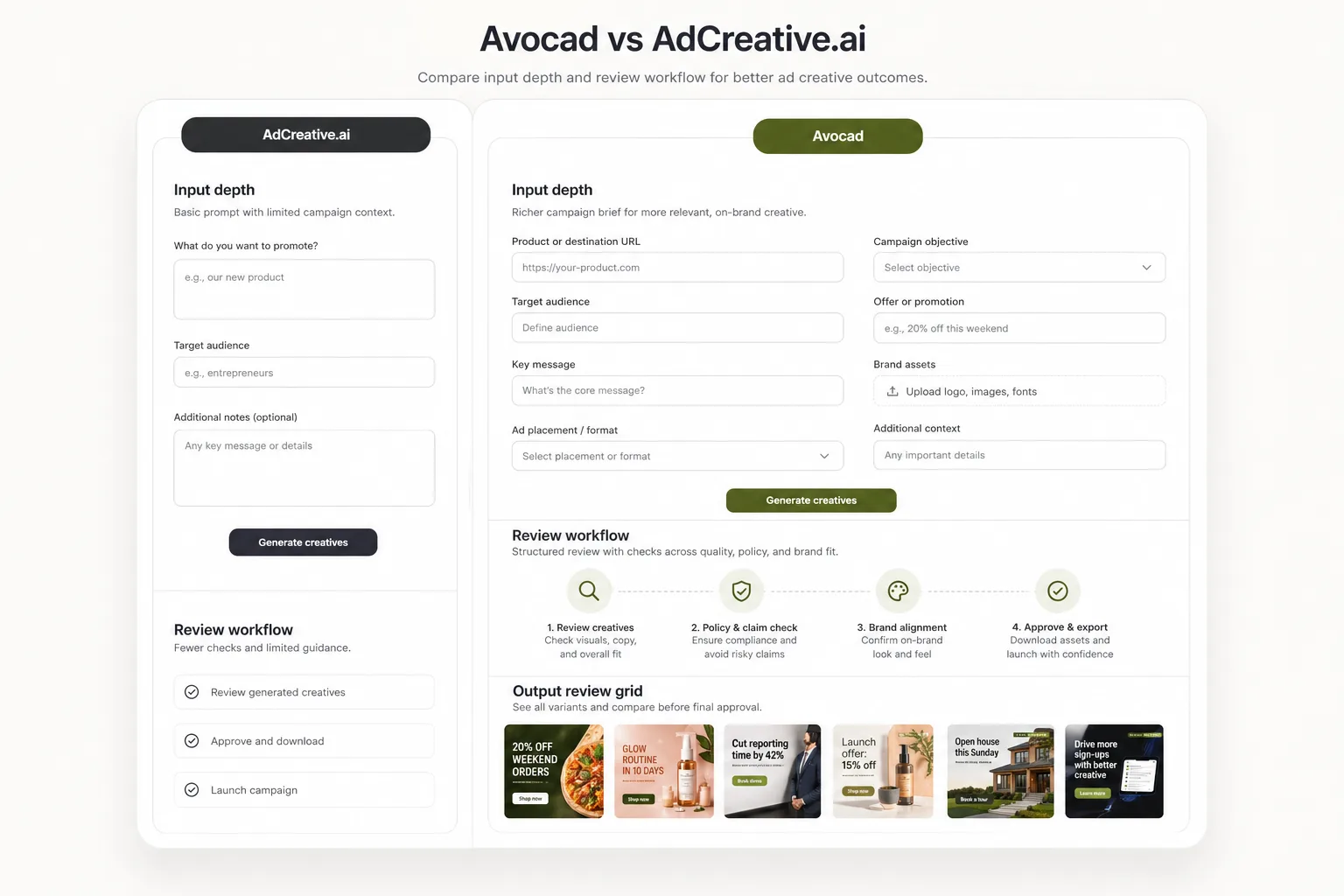
Avocad emphasizes product or brand URL context, visual direction, and multi-format output review.
Comparison guide
Avocad vs AdCreative.ai: which AI ad workflow fits your team?
Both tools focus on ad creative. This guide keeps the comparison practical: inputs, workflow, output review, and where Avocad is designed to help.
Performance depends on campaign setup, offer, audience, and review quality; no tool should claim guaranteed results without data.
The safest comparison is workflow fit, not unverifiable "best" claims.
Decision framework
How Avocad compares with AdCreative.ai
Compare how each workflow fits campaign briefs, creative review, and team handoff.
| Criterion | AdCreative.ai | Avocad | Review note |
|---|---|---|---|
| Input depth | Ad-generation inputs and brand setup | URL, brand/product context, assets, creative direction, and campaign goal | Use whichever workflow captures enough context for your campaign. |
| Output review | Creative outputs for campaign testing | Reviewable visual variants across common ad ratios | Review for claims, crop, and fit before upload. |
| Positioning | AI ad creative tool | AI creative studio for ads and product photoshoot workflows | Avocad is useful when product imagery and brand context matter. |
| Brand context | Brand setup during onboarding | Auto-extracted from URL with visual identity, tone, and audience analysis | Avocad reduces manual setup when a website already exists. |
| Product photography | Focused on ad creative generation | Supports both ad creative and product photoshoot generation | Relevant if you need both ad and product visuals from one tool. |
| Scoring model | Creative scoring based on predicted performance | No predictive scoring; focuses on brand-context generation quality | Predictive scores should be validated against your own campaign data. |
When AdCreative.ai may fit
Evaluate AdCreative.ai if your team already prefers its generation, scoring, or workflow model.
When Avocad may fit
Evaluate Avocad if you want brand and product context to drive ad and product-photo creative variants.
Migration checklist
How to evaluate without risking campaign quality
- Pick one current campaign and collect product URL, offer, audience, and brand assets.
- Generate comparable variants in each tool using the same brief.
- Judge output on brand fit, clarity, edit effort, and policy-safe claims before testing.
A fair comparison test
Use one identical brief
Same audience, offer, product URL, and creative direction in both tools.
Score review effort
Track which outputs need fewer edits before they are campaign-ready.
Test only reviewed variants
Do not publish unreviewed AI outputs, especially where claims or regulated categories are involved.
Operator guide
Fair AI-tool comparison protocol
You should leave with a fair method for comparing two AI ad tools using identical campaign inputs, transparent scoring, and review requirements.
Most tool comparisons fail because each platform is tested with different briefs. Standardize inputs first, then compare review effort and clarity.
Step 1
Normalize the campaign brief
Use the same audience, offer, product context, and risk constraints in both tools so output differences are meaningful.
Deliverable
Standardized comparison brief
Watch out for
Using richer context in one tool than the other.
Step 2
Score outputs with rubric, not opinion
Evaluate clarity, brand fit, claim safety, crop quality, and edit effort with numeric scores. Include at least two reviewers for bias control.
Deliverable
Two-reviewer score sheet
Watch out for
Selecting winners based on taste only.
Step 3
Test only approved variants
Run paid tests on variants that pass review checks in both tools. This avoids attributing performance differences to unreviewed creative defects.
Deliverable
Review-approved test set
Watch out for
Launching raw outputs directly into paid campaigns.
AI tool comparison traps
Using different reviewer standards per tool
Results become inconsistent and politically biased.
Better move: Lock one review rubric before generation.
Treating speed as quality
Fast output still fails if edit burden is high.
Better move: Score speed and quality as separate dimensions.
Drawing conclusions from one campaign
One brief cannot represent all audience or offer types.
Better move: Run at least two campaign archetypes before deciding.
Frequently asked questions
Is Avocad objectively better than AdCreative.ai?
No tool is universally best. The right choice depends on your inputs, review process, campaign type, and team workflow.
What should I compare first?
Compare output clarity, brand fit, edit effort, supported formats, and how well each tool uses product context.
Does AdCreative.ai offer performance scoring?
AdCreative.ai includes creative scoring features. Evaluate any scoring model against your own campaign data before relying on it.
Can Avocad also do product photography?
Yes. Avocad supports product photoshoot generation alongside ad creative, which can reduce tool sprawl for teams needing both.
Which tool has a lower learning curve?
Both tools can be tested quickly. Avocad starts from a URL, which reduces initial setup time for teams with an existing website.
Related resources
Compare Avocad with your current ad tool
Run one campaign brief through Avocad and judge the output by clarity, brand fit, and review effort.
Try Avocad