Supports square, landscape, and vertical creative workflows.
Platform workflow
Facebook ad creative variants without the blank-canvas bottleneck
Generate multiple Facebook-ready visual directions from one product, offer, or campaign brief, then review them before launch.
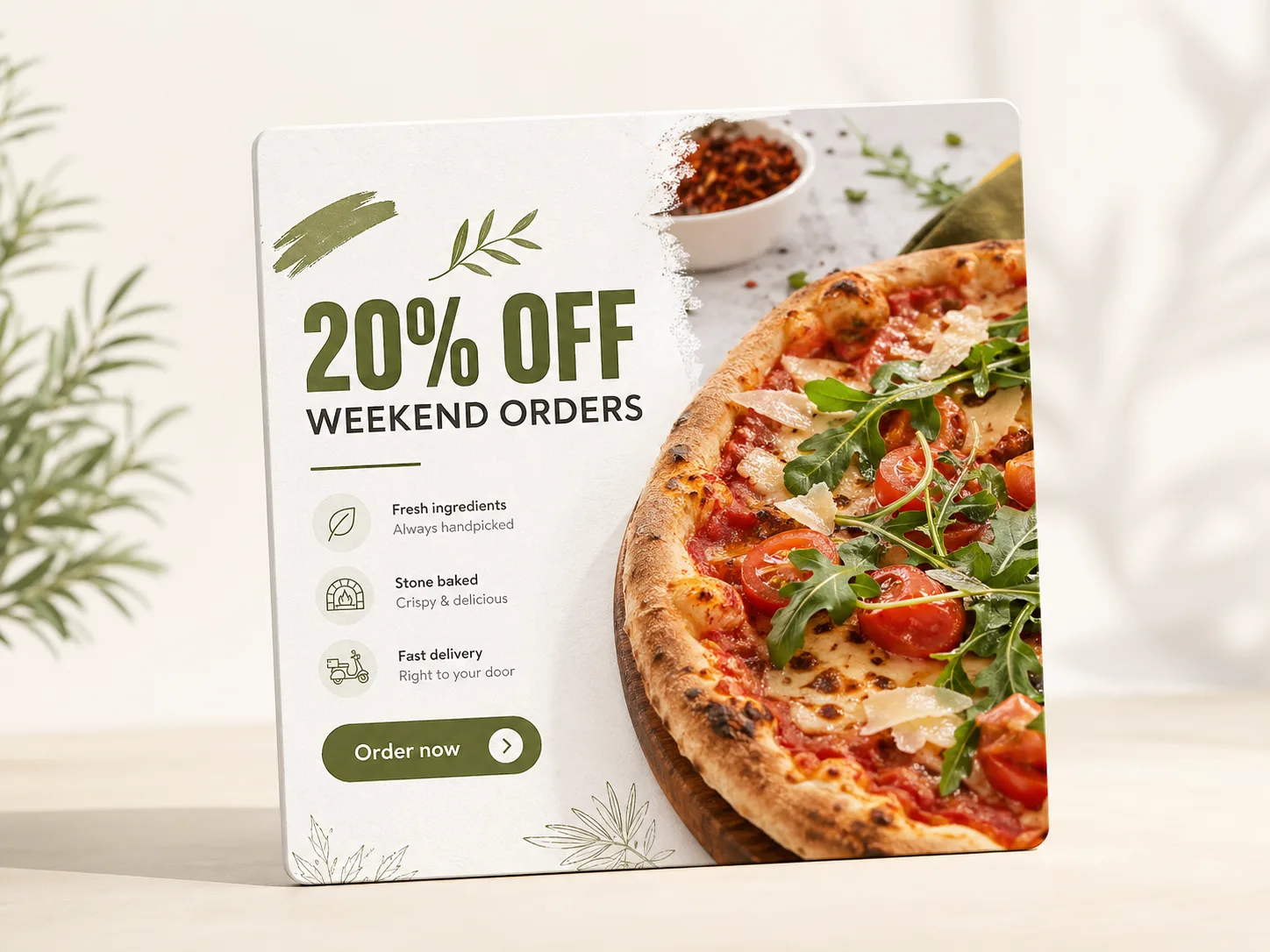
Uses the advertiser brief, offer, product context, and brand inputs to guide generation.
Final placements, copy, and policy compliance should be reviewed in the ad account before publishing.
Facebook campaigns often need several creative angles so advertisers can learn which message, product framing, and visual style earns attention. Avocad helps create those variants from one brief while keeping them tied to the same brand context.
Creative guidance
Facebook ad best practices
- OKMake the product, offer, or problem visible in the first glance.
- OKKeep text overlays short and mobile-legible.
- OKCreate one creative per angle instead of cramming every benefit into one ad.
- OKReview policy-sensitive claims before uploading to Ads Manager.
Output planning
Formats to prepare
1:1 square feed creativereview
4:5 portrait feed creativereview
9:16 story/reel cropreview
1.91:1 landscape creativereview
Prompt starter
A brief Avocad can actually use
Create a Facebook ad for [product] targeting [audience]. Show [benefit], include [offer], keep text minimal, and make the CTA [action].
Facebook creative workflow
Define the angle
Choose one message: product benefit, offer, objection, proof point, or seasonal hook.
Generate placement crops
Create square, portrait, and vertical versions so the same concept can fit multiple placements.
QA before upload
Check readability, cropping, claims, and whether the CTA remains visible.
QA gate
Review every generated Facebook ad before launch
Operator guide
Facebook production playbook
You should leave with a channel-specific checklist for producing Facebook creative variants that survive feed scrolling, preserve readability, and stay policy-safe.
Facebook creative works when angle clarity, crop safety, and CTA visibility are resolved before launch, not while campaigns are already spending.
Step 1
Draft the hook at thumbnail size
If the product, problem, or offer cannot be understood from a small preview, the concept is not ready. Design for fast feed context first.
Deliverable
Thumbnail-legibility check
Watch out for
Approving only full-size previews.
Step 2
Create placement-safe variant sets
Generate square, portrait, and vertical crops as separate compositions so key copy and product cues do not get clipped across placements.
Deliverable
Placement-safe concept pack
Watch out for
Auto-cropping one layout into every ratio.
Step 3
Score claims before upload
Add a quick preflight score for language risk, brand fit, and CTA clarity. Reject ambiguous or exaggerated claims before they reach Ads Manager.
Deliverable
Creative preflight scorecard
Watch out for
Policy review only after campaign setup.
Facebook mistakes that waste spend
Using multiple CTAs in one visual
Users get mixed intent signals and click quality drops.
Better move: Keep one primary action per creative variant.
Text overlays that fill the whole frame
Visual hierarchy collapses and feed stop rate falls.
Better move: Use concise copy with clear product focus.
Launching without edge and crop QA
Important details disappear in some placements.
Better move: Validate every ratio before media spend starts.
Questions about Facebook ad generation
Can Avocad create multiple Facebook ad variants?
Yes. It is designed to help generate multiple creative directions from the same campaign brief.
Should I still review the creative before launch?
Yes. Always review claims, offer details, brand fit, and platform policy requirements before publishing.
What Facebook ad sizes does Avocad support?
Avocad supports 1:1 square, 4:5 portrait, 9:16 story/reel, and 1.91:1 landscape creative ratios.
Can I create carousel ad concepts?
Each generated variant is a single-image concept. You can combine multiple variants into a carousel sequence in Ads Manager.
Does Avocad check Facebook ad policy compliance?
No. It avoids common policy triggers by design, but advertisers must review final copy and visuals against Meta ad policies before publishing.
Create Facebook ad variants from one brief
Use Avocad to move faster from idea to review-ready creative.
Generate Facebook ads