Works with food photography, menu details, delivery partnerships, and location-specific offers.
Avocad for Food & Beverage
Food and restaurant ad creative that makes the menu the hero
Turn food photography, delivery offers, and seasonal menus into ad variants ready for social, delivery apps, and local campaigns.
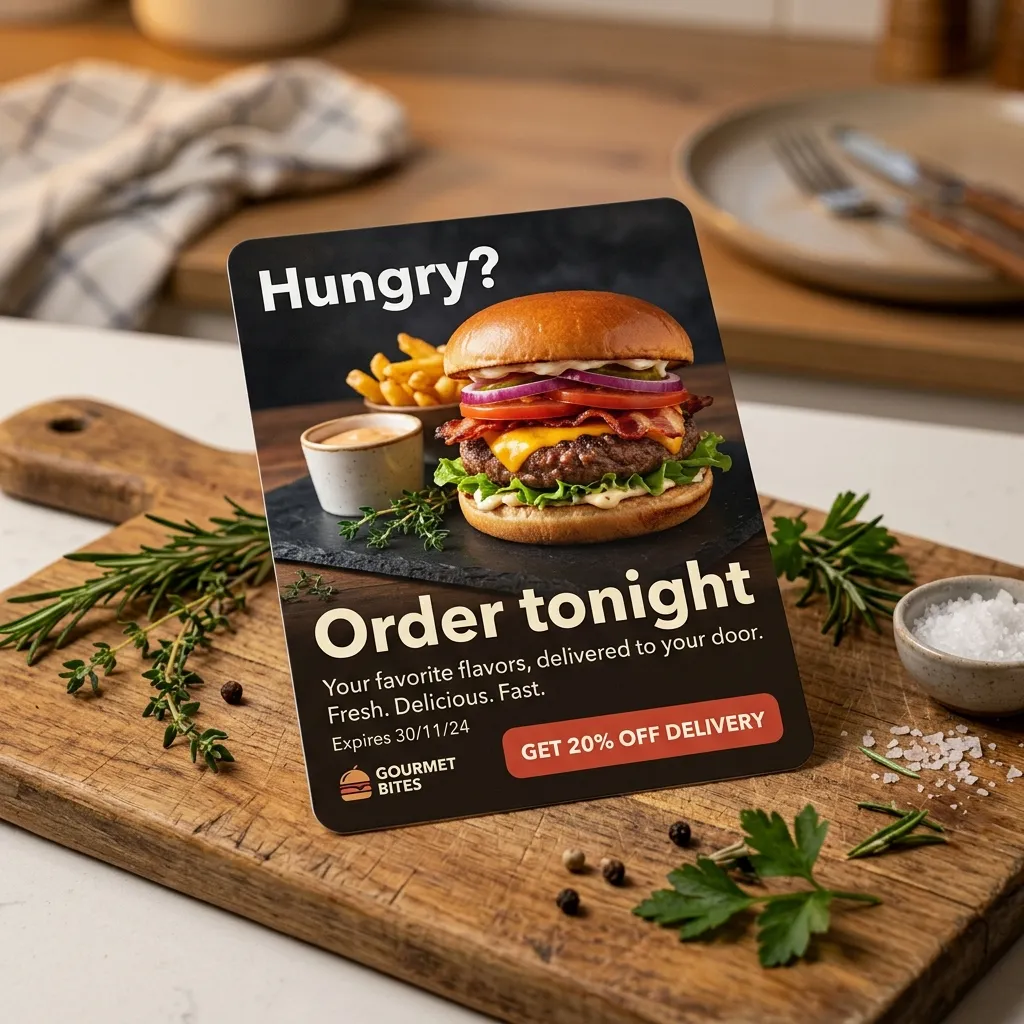
Supports creative for menu spotlights, delivery promos, and seasonal campaigns.
Food claims, pricing, and availability should be verified before each campaign launch.
The campaign bottleneck
Why Food & Beverage creative gets stuck
Restaurants and food brands need location-specific promotions, seasonal menu launches, and delivery partnership ads. Food photography is expensive and ad refresh cycles are short.
The Avocad workflow
How Avocad helps
Avocad helps teams turn menu imagery, delivery offers, and seasonal themes into review-ready ad variants without rebriefing a designer each time.
Use cases
Useful Food & Beverage campaign angles
Menu spotlight ads
Highlight specific dishes or new menu items with food-first creative and clear ordering CTAs.
Delivery promotion
Create ads for delivery partnerships with offer details, delivery radius, and platform-specific formatting.
Seasonal menu launches
Promote limited-time menus, holiday specials, and seasonal ingredients with time-bound creative.
Creative sprint
A practical restaurant creative workflow
Prompt starter
Create a food ad for [dish or menu item] targeting [audience]. Show [food photo], include [offer or delivery detail], and make the CTA [order/visit/download app].
Collect menu assets
Gather food photography, current pricing, delivery details, and any seasonal or promotional timing.
Generate per-item variants
Create separate creative for featured dishes, delivery offers, and seasonal specials.
Review accuracy
Verify pricing, availability, delivery coverage, and food photography accuracy before launch.
Pre-launch checklist
- Use real food photography that accurately represents the dish.
- Include current pricing and availability for promoted items.
- Adapt creative for delivery app formats where relevant.
- Create location-specific variants if running local campaigns.
Metrics to review after launch
- Order conversion rate by creative angle
- Cost per order by menu item
- Delivery app click-through rate
- Seasonal menu campaign lift
Operator guide
Restaurant and food brand creative playbook
You should leave knowing how to turn menu items and delivery offers into review-ready ad creative on a short refresh cycle.
Food ads depend on photography quality and offer clarity. This playbook builds a system around both.
Step 1
Lead with the food
The dish is the ad. Use the best photo of the actual item, not a stock image.
Deliverable
Hero food photography ads with clear ordering CTA.
Watch out for
Using stock food photos that do not match the actual menu item.
Step 2
Build per-offer creative
Delivery deals, dine-in specials, and new menu items each need their own ad.
Deliverable
Separate creative for each active promotion with correct pricing and dates.
Watch out for
Running ads with outdated pricing or expired offers.
Step 3
Localize for delivery radius
Local restaurants compete locally. Include location signals in creative and targeting.
Deliverable
Location-aware ads with delivery area or address references.
Watch out for
Running generic ads outside the delivery area.
Food ad creative mistakes
Misleading food photography
If the ad food looks nothing like what arrives, trust drops and reviews suffer.
Better move: Photograph actual menu items in good lighting. Accuracy builds repeat orders.
Running expired promotions
Customers who see an expired deal feel misled. Support tickets increase.
Better move: Build ad scheduling into your workflow. Pause ads when offers expire.
Forgetting delivery app format requirements
Delivery platforms have specific image requirements that differ from social ads.
Better move: Create delivery-app-specific variants alongside social ad creative.
Questions about Avocad for Food & Beverage
Can Avocad create ads for specific menu items?
Yes. Provide food photography and menu details, and Avocad generates item-specific creative with ordering CTAs.
Does Avocad work for delivery app promotions?
Yes. Include delivery partner details and offer specifics in your brief for delivery-focused creative.
Can I create location-specific restaurant ads?
Yes. Add location details to your brief, and Avocad can generate variants with local context.
What about food photography quality?
Higher-quality food photos produce better ad creative. Avocad works with what you provide but cannot improve source photo quality.
How often should I refresh restaurant ad creative?
Refresh when menus change, new offers launch, or every 2-3 weeks to prevent ad fatigue in local campaigns.
Create restaurant ad variants from your menu
Start with food photography and campaign details to build review-ready creative.
Create food ads